SEARCH
  CASINO
  SPORTS
  LOGIN
LOGIN  SIGN UP
Kirgo Casino Login, Registration and Verification Processes
Players need to complete registration and Kirgo Casino login before they can place real money wagers, claim a welcome bonus up to $1,100 + 75 FS and access the dashboard. Creating an account is a quick process that requires only an email address and age verification. The minimum legal age is 18 years, but this depends on your country or province. For example, in Canada, this limit refers to Alberta, Manitoba and Quebec, while other provinces have a minimum age of 19 years. After creating a user profile, members are expected to complete an identity check for anti-money laundering policies and submit required documents. This guide covers how to sign up, log in and complete KYC.
Benefits of Having a Personal Account with Kirgo
The main reason to sign up on the site is the ability to place wagers with real money. However, registration also offers additional benefits such as:
- Collect loyalty points: This is a part of the Kirgo loyalty club and provides customers with daily, weekly and level-up bonuses.
- Claim promos: Only members can claim exclusive offers such as a 75% weekend reload bonus.
- Transaction history: Customers can check out their transaction history, bet history and potential winnings.
- VIP program: Users who sign up can become VIP players, which provides higher limits, a dedicated account manager, elite access, cashback and other perks.
- Responsible gambling tools: After your Kirgo Casino login, you can activate one of the responsible gambling tools such as deposit limits, loss limits or self-exclusion. In addition, faster support is also provided to members.
How to Register for Casino Kirgo Account
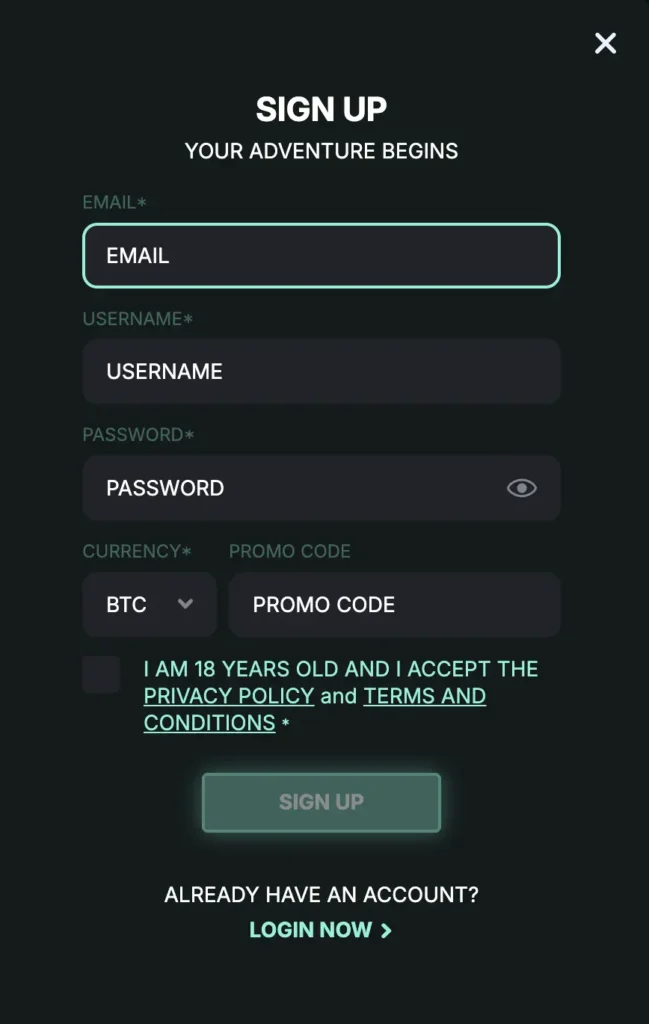
The overall Kirgo Casino registration process is simple and requires no personal information except an email address. I was able to sign up within minutes. Before following these steps, I advise you to check the terms and conditions page.
- Initiate registration: Tap the “Sign up” button in the upper-right corner.
- Enter details: Provide your email address and create a username and password.
- Choose currency: Select which virtual currency you will use.
- Confirm age: Make sure to complete age confirmation, stating you are aged 18 or older.
- Enter promo code: You can opt in for a welcome bonus by entering the promo code.
- Activate account: Tap the activation link sent to your email.
I also advise you to verify the telephone number. Complete simple SMS verification where you can enter the code sent to your phone number.
Required Documents for Players
Before you can cash out from the platform, you have to complete the Know Your Customer procedure. This is a regulatory requirement where users have to upload photos of required documents. Accepted documents are:
- Identity verification: For this purpose, you can upload photos of a passport, ID card or driving license after Kirgo Casino login. A selfie is also required. Data match is mandatory.
- Address: An image of the utility bill or a bank statement. This step is mandatory for withdrawal unlock.
- Payment proof: A screenshot of the crypto wallet proving you have deposited funds to the casino. This is a part of the safety protocol and used for anti-fraud and AML policies.
Getting Verified at Kirgo
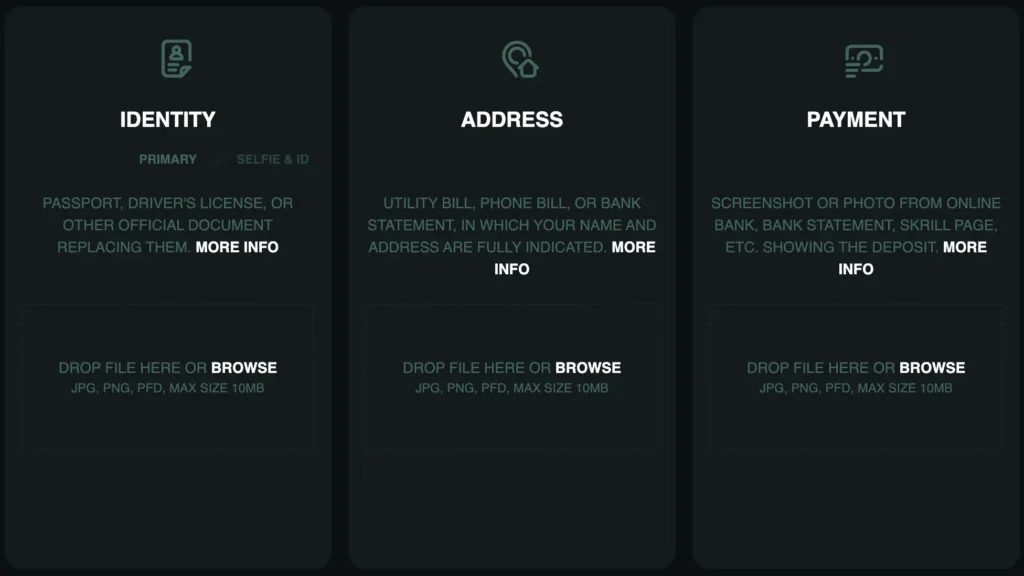
I always complete KYC immediately after registration to avoid any issues with initial withdrawals. To accomplish this on the site, follow these steps.
- Sign in: Access your account.
- Initiate KYC: Go to “profile settings,” then “general” and tap “verification.”
- Upload: Use the upload portal to share a selfie and required photos.
- Submit: Once done, submit the documents.
- Wait: The processing time is 24-72 hours, and you will be notified once KYC is done.
The file format you can use is JPG, PNG or PDF. The maximum image size is 10MB. Rejection reasons are low-visibility photos or unmatched data.
Kirgo Login to Your Account
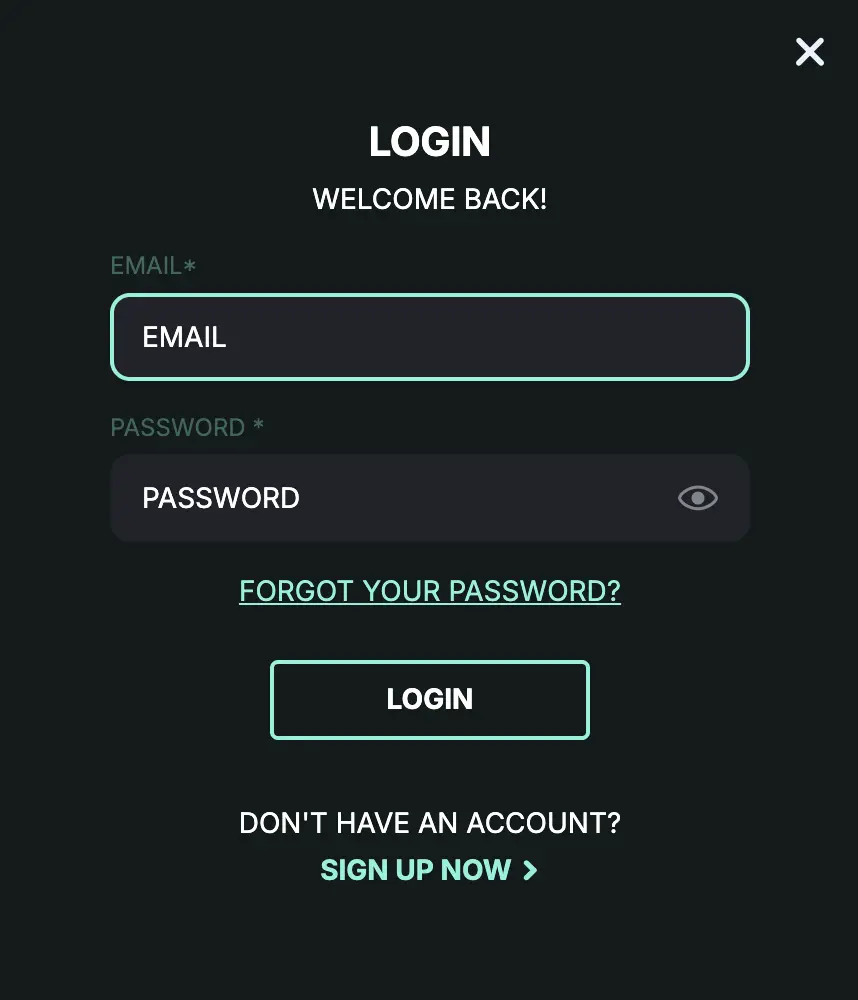
To complete the initial or any subsequent Kirgo Casino login, follow this guide.
- Initiate procedure: Tap the “sign in” button in the upper-right corner of the website.
- Enter email: To start a secure session, enter your email address.
- Share password: Enter the password you created during registration.
- Stay logged in: This is an optional step allowing players to stay logged in.
| Method | Requirements | Best for |
| Email + password | Email address and password used during registration. | Standard dashboard access. |
| Mobile login | Kirgo account credentials. | Mobile gamblers. |
| Desktop access | Kirgo account credentials. | Players playing via PC or laptop. |
Login via Mobile App
The mobile Kirgo Casino login is also possible by following these simple steps.
- Install the app: Add the icon to the home screen from the official website.
- Launch it: Start an encrypted connection by starting the PWA.
- Complete 2FA: If activated, you will need to complete a 2-factor authentication.
- Gain access: Once done, you will be logged into your profile.
The app uses a secure server, and the casino meets the latest GDPR compliance, which affects data privacy. In addition, your data is never shared with third parties.
Personal Data Protection and Security
I always check the technologies and data protection methods an online casino uses. In this case, I discovered:
- SSL: 256-bit SSL encryption is used to encrypt the data.
- 2FA: Members can activate 2 factor authentication.
- VPN allowed: There are no VPN restrictions, so you can play using this feature.
I was able to get some of the details related to this issue from customer support. The team is available 24/7 in different languages.
Troubleshoot Login Issues
Most of the time, the Kirgo Casino login is smooth and simple. There were no issues, and I was able to sign in dozens of times. However, some players may encounter an issue at some point, and here’s how they can resolve it.
- Account is not activated: If you have signed up, you must activate your account to access all features.
- Unable to sign in: After account termination, you can’t sign in. You will have to withdraw balance before deleting the profile.
- Incorrect credentials: It is not possible to sign in with an incorrect email or password. If you have forgotten your password, reset it.
- Suspended account: If self-exclusion, part of the responsible gambling tools, is active, logging in won’t be allowed.
Recovering Forgotten Password or Email
Users who have forgotten their password or email can recover it using a simple method. Just initiate the logging in procedure and tap on “forgotten password.” Enter your email to complete the password reset. The verification re-check is not mandatory in this case.
Users who have forgotten the email can contact the support team, answer security questions and unlock their profile.
How to Delete Your Account at Kirgo
Players who are worried about their gambling habits can delete their account from Kirgo Casino. Just follow these steps.
- Sign in: First, you need to access your profile.
- Contact support: Use live chat to get in touch with the support team.
- Explain your intention: Let the agents know that you want an account removal service.
- Confirm: Make sure to confirm the account removal procedure.
- Wait: Once done, you will receive an email with a notification.
If you are worried about gambling habits, a much better idea is to use a responsible gaming tool known as self-exclusion. Contact support and ask them to activate it. You can choose between 24 hours, 7 days, 1 month or a longer period. The automated lock will be activated immediately.