SEARCH
  CASINO
  SPORTS
  LOGIN
LOGIN  SIGN UP
Kirgo Casino App: Your Guide to Easy Access and Seamless Gameplay
International players can get the Kirgo app via PWA technology on their iOS, Android, Windows and Mac devices. With this approach, players can enjoy simple gambling sessions, play live dealer games on the go, complete deposits and withdrawals and even play when the network connection is slow. The software mimics the website’s UI, making mobile gaming easier. Additionally, the mobile version offers push notifications, meaning users can get the latest promotional offers as soon as they are released by the casino. I must add that the application is unavailable on the app store and should only be downloaded from the official platform.
| Feature | Details | Player Relevance |
|---|---|---|
| Platform | PWA – iOS & Android | Compatible |
| Download | No app download required | Convenient |
| Games Available | 10,000+ titles from 83 providers | 5/5 |
| Minimum Deposit | 5 USDT or similar | Accessible |
| Payment Methods | 13 cryptocurrencies | 4/5 |
| Support | 24/7 live chat | Available |
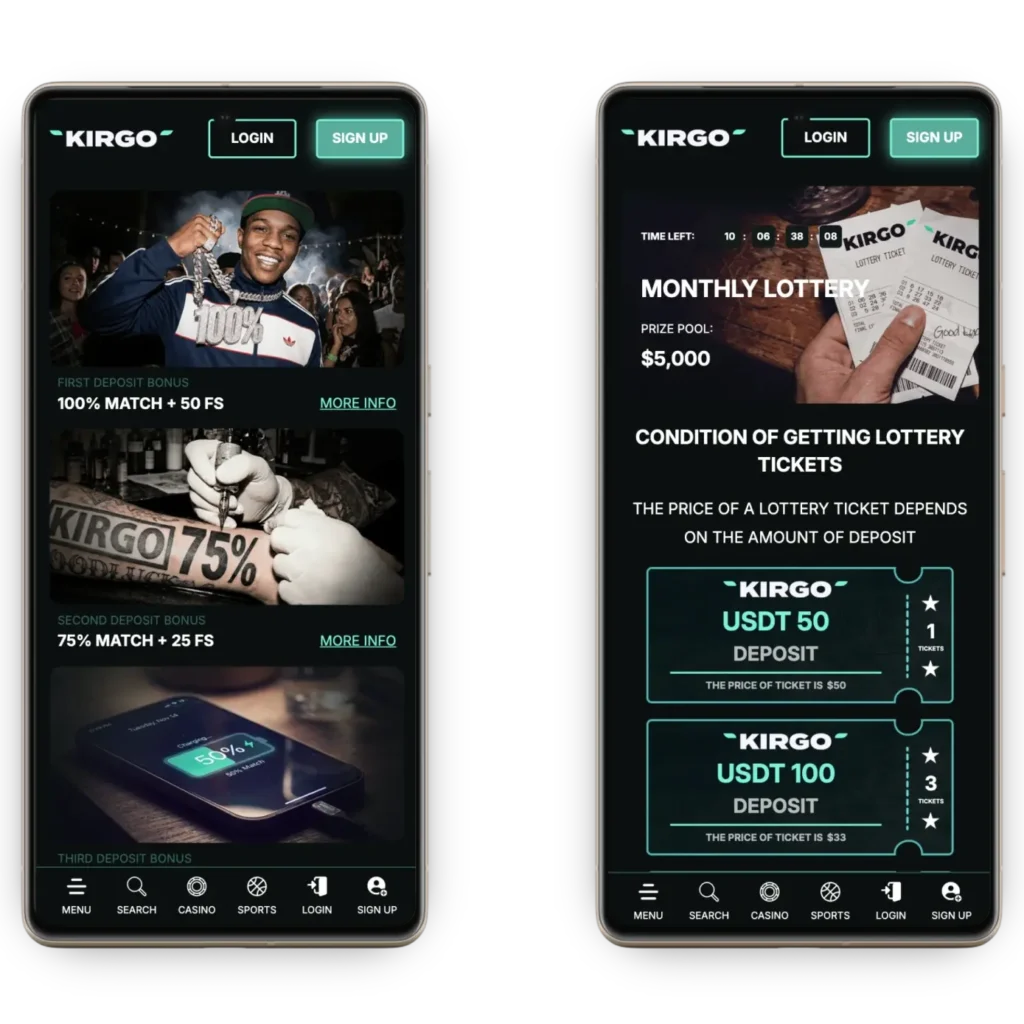
How to Download the Kirgo App: A Step-by-Step Guide
To complete this task, players need to install the software from the official website by following these steps.
- Launch browser: Open Chrome on Android or Safari on iOS.
- Load the website: In the search bar, type in Kirgo Casino.
- Launch features: Open the settings with additional features.
- Install it: Tap “add to home screen.”
- Confirm: Accept installation.
- Launch it: Click the icon on the home screen.
Once the Kirgo app loads for the first time, you can sign in or sign up if you are a new user. The fast loading allows users to complete this within minutes. Additional features members can change include vertical orientation, dark mode and an intuitive layout.
If there’s no option to install the software, update your web browser. Keep in mind that push notifications will not work on older iOS devices running iOS versions under 16.4. If there is no icon on the home screen, open the application drawer and locate it.
How to Use and Install on Android
Users need to use Chrome to complete the installation. Only the PWA version is available, so there is no installation file in the APK file format you have to download. Follow these steps.
- Load website: Use Chrome to load the official casino’s website.
- Open features: Tap the three dots to launch features of the mobile browser.
- Install it: Tap the “add to home screen” feature.
- Accept: Allow the safety check to complete and accept the installation.
- Launch it: Click the icon on the home screen once setup is done to launch the app.
Members who already have an account should sign in. If you are a new user, create an account using the Kirgo Casino app or a website. Don’t make the mistake of signing up twice. This is against the casino’s terms and conditions.
How to Install Application on iOS
The Kirgo app is available as a PWA, so it can only be installed using Safari. Due to App Store and Google Play restrictions, native applications for this casino are unavailable. Follow these instructions for the installation.
- Launch Safari: Use this web browser to load the official page of the Kirgo gambling platform.
- Tap Share: Click the button in the middle of the control bar.
- Install: Accept the installation (Add to homescreen).
- Open app: Tap the icon located on the home screen once installation is complete.
In rare cases, you may have to change security settings and allow PWA installation. As I have stated earlier, push notifications require iOS 16.5 or newer. In addition, you must use Safari for this process.
PWA Version for All Devices: A Flexible Mobile Option
Progressive Web Application works on most devices running Android, iOS, Windows and macOS. To install it, follow this guide.
- Open features: In Safari, open “share,” and in Chrome, tap on the three dots.
- Install it: Tap the “Add to home screen” button.
- Confirm: Accept the installation.
- Launch it: Click on the icon to launch the software for the first time.
An advantage here is the fact that the latest version is downloaded. Automatic updates mean the mobile version gets the latest security features every time the website gets them.
Troubleshooting Installation Issues with the Casino Kirgo App
I used the Kirgo Casino apps on iOS, Windows and Android devices, and there were no issues. However, in rarer situations, issues may appear. Here are possible solutions.
- Unable to install it: Your device doesn’t meet the minimum specs.
- App won’t install: The device has an obsolete OS. Update the OS to resolve the issue.
- Slow performance: If this happens on Samsung phones, clear the cache.
- No push notifications: These are unavailable on older iPhone models running iOS 16.4 or older.
Interface and Key Mobile Features of the Kirgo App
The progressive web app features a simple and modern user interface with simple navigation. Even after using it the first time, I had no issues finding a game, depositing funds and placing wagers.
The main control panel is at the top, followed by the collection of games. This casino has around 10,000 titles. All of these are available for instant play, including live dealer options. The main features of the Kirgo app are:
| Feature | Description |
|---|---|
| Automatic updates | Every time the website updates, the mobile version is upgraded as well. |
| Push notifications | Players receive notifications with the latest bonuses and promos. |
| Instant deposits | PWA allows members to deposit using cryptos instantly. |
| Demo mode | Customers can play all, except live dealers, in demo mode for free. |
| Cross-platform compatibility | The same app works via Chrome, Safari and other web browsers. |
| Save space | The app uses under 10MB of space. |
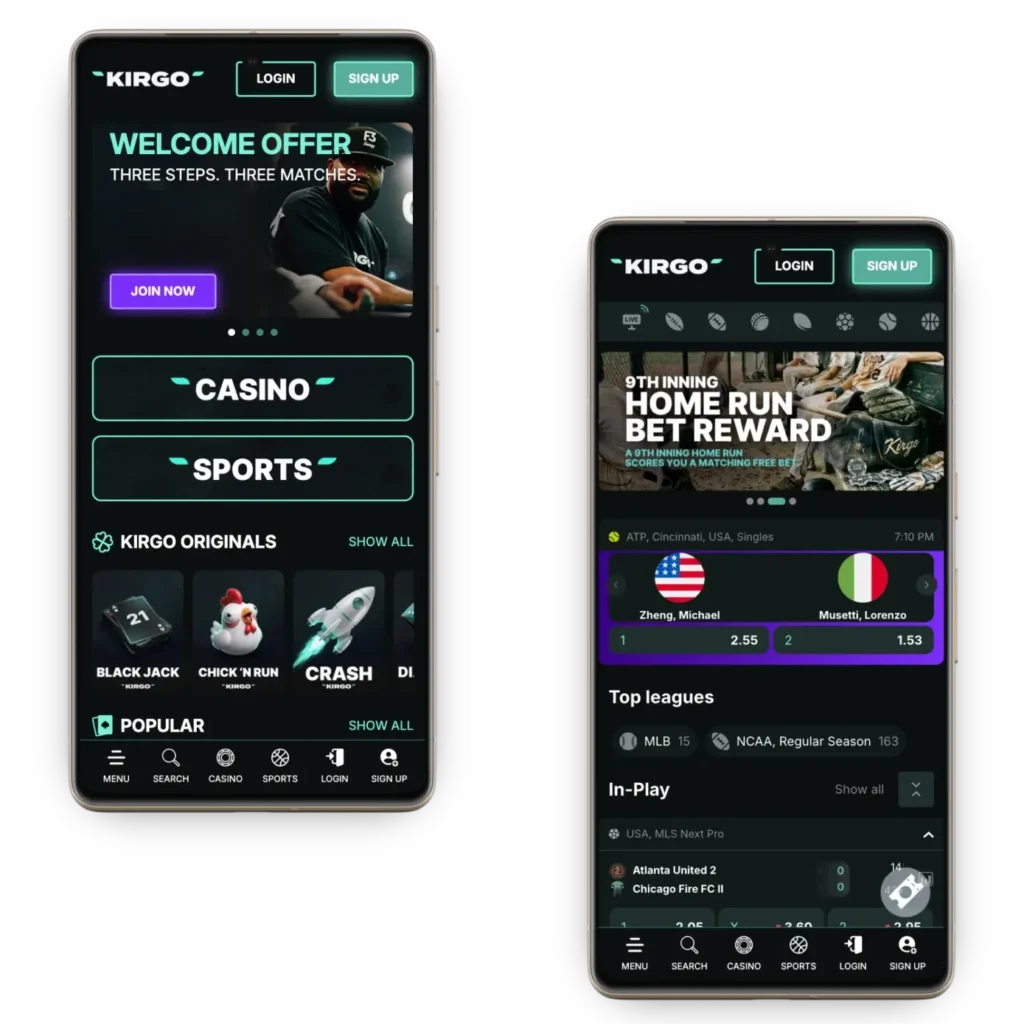
Bonuses for Mobile App Players: Maximize Your Rewards
The Kirgo app allows members to claim promos as they play. During testing, I was able to claim a welcome package and another promo on the go. At the moment, available promos include:
- First deposit bonus: New casino members can claim a 100% match and 50 free spins. The code WELCOME1 needs to be used. The maximum cash bonus is $250. Bonus playthrough is 25x.
- Second deposit offer: A 75% match on the second deposit and 25 free spins are available. The maximum amount is $350.
- Third deposit reward: Members can get a 50% match up to $500 on the third deposit.
- Monday reload bonus: The full experience is even better thanks to the 50% reload promo limited to $200 with 35x wagering requirements.
All promos require codes which have to be entered using touch controls. A minimum deposit of $20 or more is needed.
Kirgo App vs Desktop Version: Which One is Best for You?
In general, players can access and play on the website or use the app. Both methods have specific advantages, making them ideal for a specific type of player. I personally like the mixture of the two. The following table compares desktop and application modes.
| Feature | PWA | Desktop |
|---|---|---|
| Login security | Face ID, classic and biometric login | Classic email login |
| Navigation | Touch input | Computer mouse or touch |
| Screen size | Small and compact | Large screen advantage |
| Convenience | Play on the go | Playing at home |
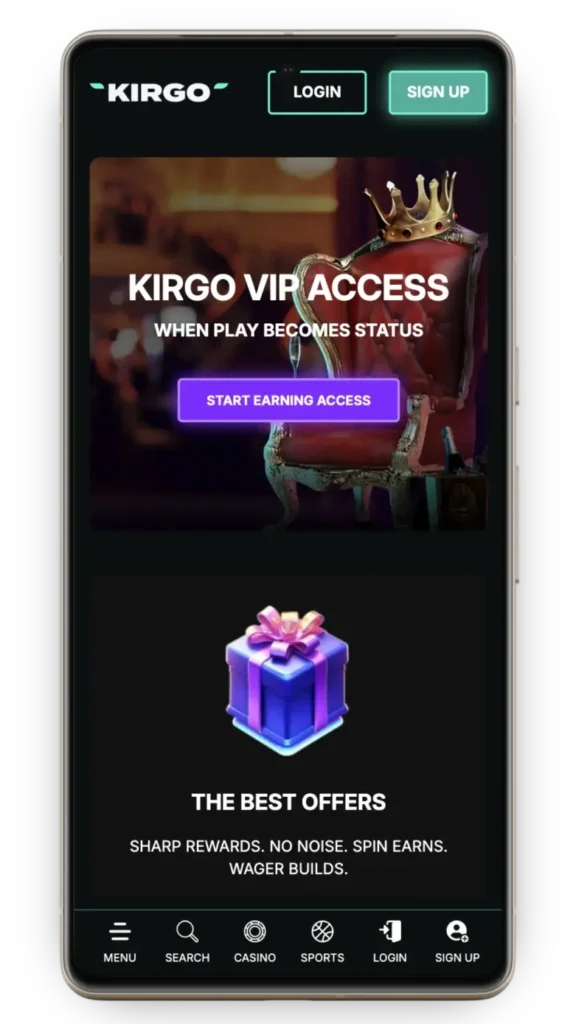
Managing Notifications and In-App Controls
One of the main advantages of using Kirgo Casino apps is push notifications. Players receive promo codes occasionally, which can be used to trigger a specific bonus. You need to opt in to receive offers from the settings page within your profile.
I believe a push notification offer is a great way to claim mobile promotions and get an incentive as you play. This can indirectly increase the loyalty points you collect. Keep in mind that even offers that are on the website can be claimed on a mobile phone.
Security and Data Protection in the Kirgo App
The Kirgo app uses 256-bit SSL encryption, which encrypts the data between your device and the servers. On top of that, two-factor authentication is available. Users have to enter a one-time code before they can sign in.
The platform uses KYC to make gambling safer and to comply with AML policies. Account safety is at the highest level possible and data protection is ensured for all members.